
SVG cut lines for plotters
Ultra exports the sheet as SVG, in millimeters, with every design and its vector cut line. With guides on, it adds registration marks in the four corners, outside the printed area. The SVG is in real millimeters: open it in your cutting or vector design software without rescaling.
That lets you cut with a plotter instead of a hand punch, or send the file to whoever cuts for you.
Letter and A4, and the exact size of each press
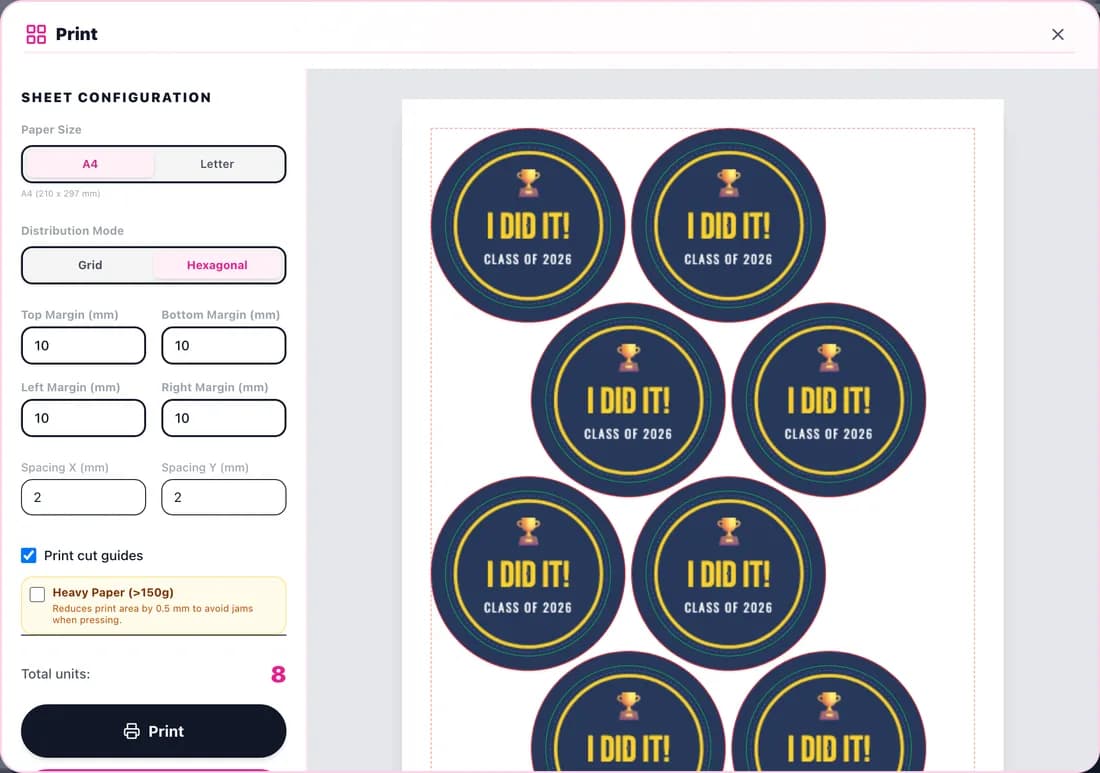
The editor lays out Letter or A4 sheets, in a hexagonal or grid layout, with margins and spacing you can adjust. Besides the standard sizes, Pro and Ultra let you create custom sizes with the diameter and bleed of each press in the shop.
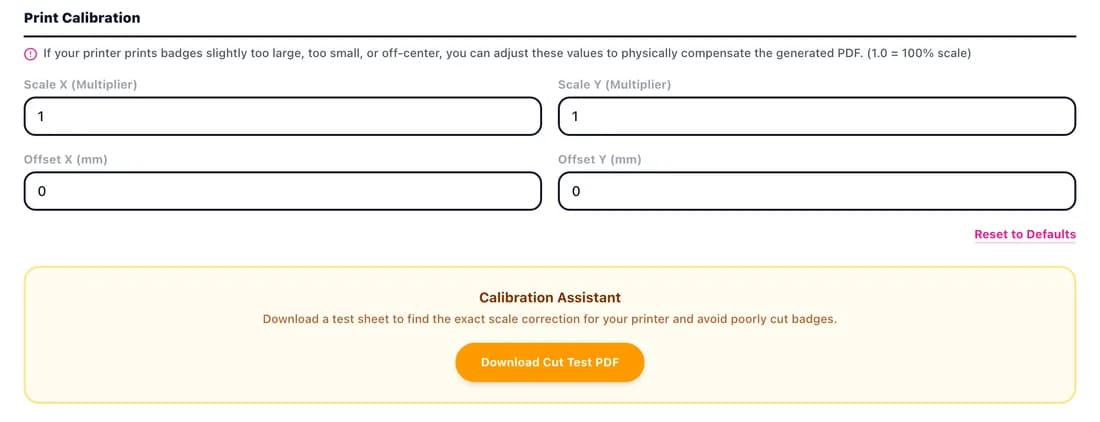
If a printer runs slightly large or off-center, the calibration in Settings fixes scale and offset once, and the cut test sheet tells you which value to use.
PinMaker editor sizes and how many buttons fit per sheet with the default margins (10 mm) and 2 mm spacing.
Swipe the table to see per-sheet counts →
| Size | Visible | Cut (with wrap) | Safe area | Per Letter sheet | Per A4 sheet |
|---|---|---|---|---|---|
| 1" (25.4 mm) | 25.4 mm | 33.35 mm | 22.22 mm | 40hexagonal · 35 grid | 36hexagonal · 35 grid |
| 1.25" (31.75 mm) | 31.75 mm | 41.38 mm | 29.36 mm | 24hexagonal · 24 grid | 25hexagonal · 24 grid |
| 1.5" (38.1 mm) | 38.1 mm | 46.66 mm | 34.92 mm | 21hexagonal · 20 grid | 18hexagonal · 15 grid |
| 2.25" (57.15 mm) | 57.15 mm | 66.67 mm | 52.4 mm | 8hexagonal · 6 grid | 8hexagonal · 8 grid |
| 3" (76.2 mm) | 76.2 mm | 87.66 mm | 73.02 mm | 5hexagonal · 4 grid | 6grid · 5 hexagonal |
Up to 5 emails in one workspace
On Ultra you add up to 5 team emails to the same workspace: they share cloud projects, credits and plan support. Whoever designs and whoever prints work on the same file.
Commercial license
Pro and Ultra include a commercial license: you can charge for what you make with the editor. The Free plan is for personal use only.
How a big order comes together
An example with the editor's measurements: 500 buttons at 2.25" take 63 Letter sheets; 500 at 1" take 13.
- 1Create the project in the exact size of the press you'll use.
- 2Build the base design: background to the cut line, logo and text in the safe area.
- 3If every unit changes (names, numbers, colors), turn on independent design and edit each position on the sheet.
- 4Calibrate the printer once with the test sheet.
- 5Export the PDF to print or the SVG to cut with a plotter.
- 6Print at 100%, trim and press. Save the project to the cloud to repeat the order.
FAQ
What's in the plotter SVG?
The sheet in millimeters, with each button's image, a vector cut line for every piece and corner registration marks when guides are on.
Can I save the sizes of my presses?
Yes. On Pro and Ultra you create custom sizes with each press's final diameter and bleed, and they stay saved for later.
How many people can use an Ultra account?
Up to 5 emails in the same workspace, sharing projects, credits and plan limits.
How many sheets do I need for 1000 one-inch buttons?
25 Letter sheets or 28 A4 sheets, with the editor's default margins.